Profanity Filter for YouTube

Watch YouTube without the swearing.

A free Chrome extension that mutes swear words automatically, just for the moment they're said, while the rest of the video plays normally.

Add to Chrome Free on the Chrome Web Store, with optional support on Patreon
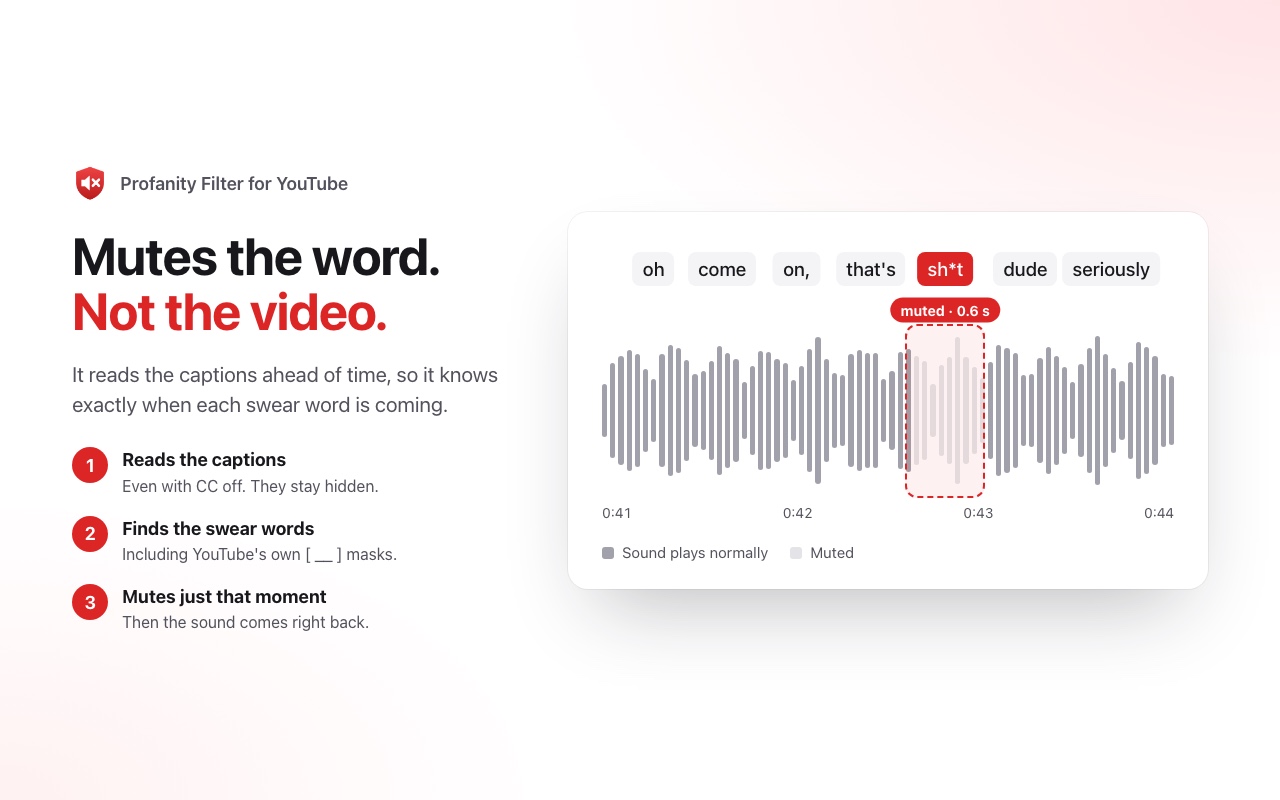
A waveform showing a short muted section where a swear word is spoken.

Mutes the word, not the video

It reads the captions ahead of time and mutes only the moment each swear word is said. Captions aren't always perfect, so for a video you need to be exact, add your own mutes.

Fix what the captions missed

Edit the mutes for any video: add one where you hear a missed word, skip a wrong one, or swap the silence for a bleep.

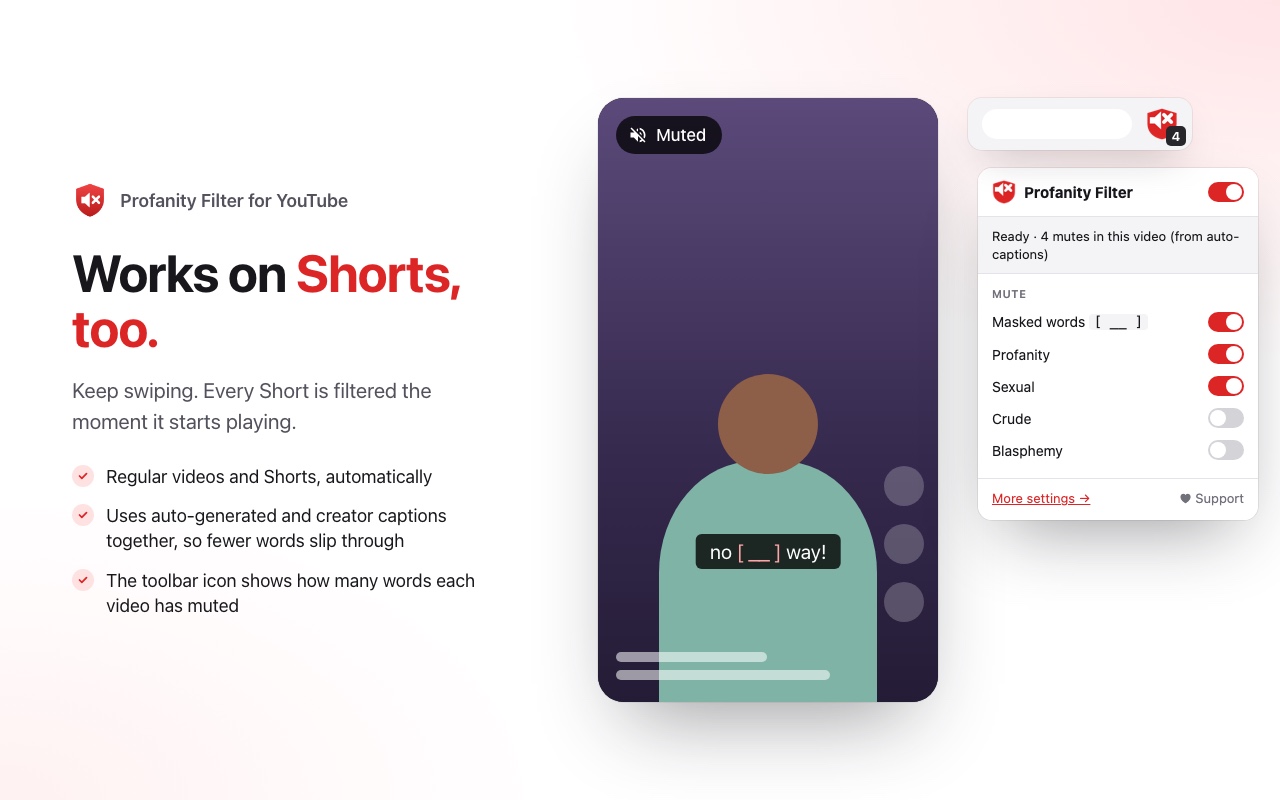
Videos and Shorts

Works on regular videos and Shorts, and catches YouTube's own [ __ ] masks.

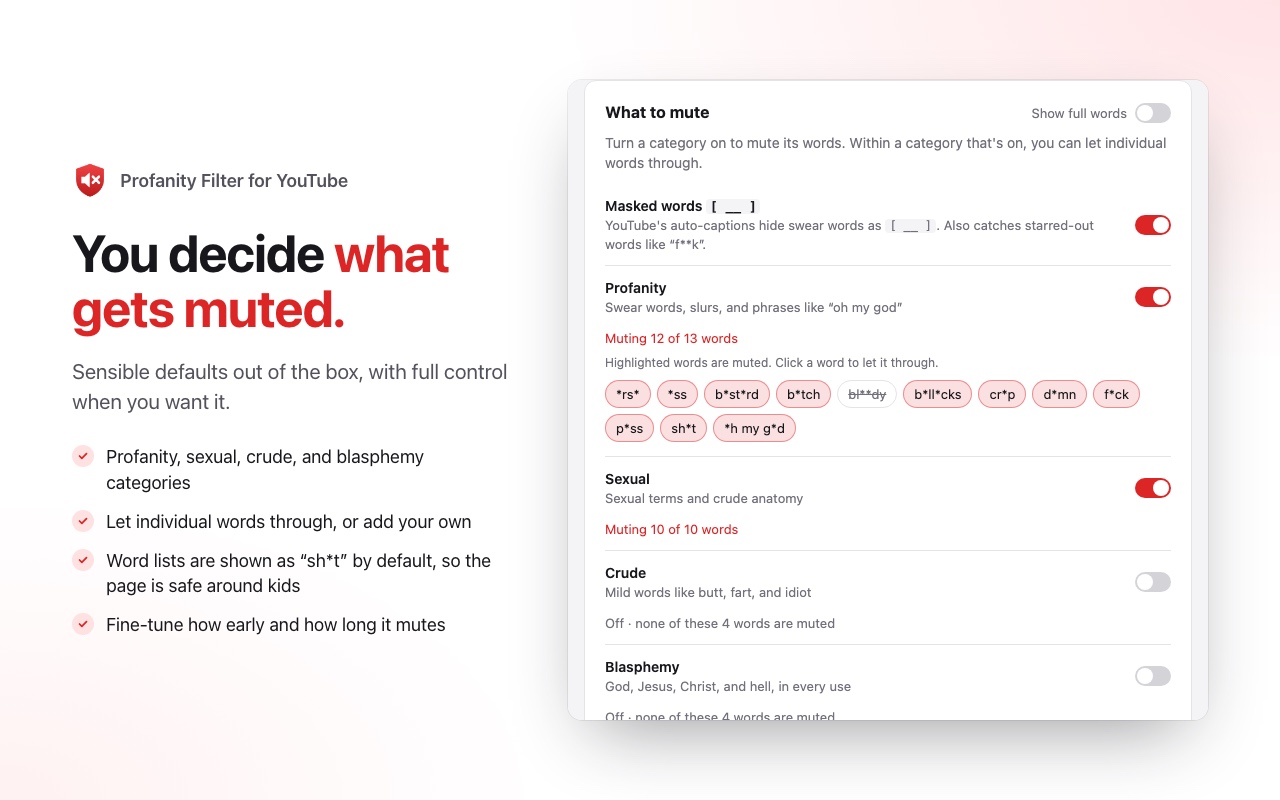
You choose what's filtered

Profanity, sexual, crude, and blasphemy categories. Let words through or add your own.

Private by design

No account, no analytics, no servers. Nothing about what you watch is collected.

A YouTube Short with a Muted badge, next to the extension popup showing 4 mutes in this video. The settings page, with word categories and words shown starred out.

Updates

Chrome installs new versions automatically. To see which one you have, open chrome://extensions.

Version 2.3.0

November 2026
  • New: show where the mutes are on the seek bar of every video, not just ones you edited. Turn it on in Timing on the settings page.
  • New: an optional bleep. Turn on "Bleep instead of silence" in settings to hear a censor tone over each muted word. It is off by default.
  • A support link now sits under your stats on the settings page.
  • Fixed: the filter now follows YouTube if it swaps out the video player mid-page, which could leave a video unfiltered.
  • Fixed: your own mutes are retried if they fail to load, and opening the editor can no longer overwrite them before they load.
  • Fixed: YouTube un-muting the video by itself (for example after an ad) could leave a word unmuted. Only your own click or key press counts as un-muting now.
  • Fixed: a mute you turned off by hand stays off when captions finish loading in the background.

Version 2.2.0

November 2026
  • New: custom mutes. Captions aren't perfect, so if a video slips a word past the filter, open the toolbar popup and choose Edit mutes for this video. Press Mute here (or press Alt+M, which is Option+M on a Mac) when you hear a missed word, then preview, nudge, or remove it. Handy before showing a video to a class.
  • Skip a mute that the captions got wrong, and see every mute on a timeline under the video and as marks on the seek bar. Review all plays a few seconds around each mute, one after another, so you can check a whole video quickly.
  • A new My videos list on the settings page shows every video you've edited. Open one, delete one, or paste a YouTube link to start a new one.
  • Export and import your videos as a file, so you can share a prepared set with another teacher.
  • Your muted-word total now carries on through updates and adds up across all your computers with Chrome Sync.
  • Your custom mutes are saved for that video and follow you to other computers with Chrome Sync. Videos with no captions can now be filtered with your own mutes too.

Version 2.1.0

November 2026
  • New: your stats. See how many words have been muted, how many in the last week, how many videos were filtered, and which words come up most, on the settings page. The popup shows your running total.
  • Stats are kept only on your device and can be reset at any time. They never include which videos you watched.

Version 2.0.1

November 3, 2026
  • Fixed: filtering now starts reliably when YouTube is slow to load a video's captions, instead of waiting indefinitely.

Version 2.0.0

October 2026

A complete rebuild of the extension.

  • Mutes just the moment each word is said, using the timing in the video's captions.
  • Works on Shorts, and when captions are turned off.
  • Uses both auto-generated and creator captions, so either one can catch a word.
  • Catches YouTube's own [ __ ] masks and starred-out words.
  • Profanity, sexual, crude, and blasphemy categories; let individual words through or add your own.
  • Adjustable mute timing, settings backup, and the number of mutes in the current video on the toolbar icon.

Version 1.x

2017–2019

The original extension, which this project grew out of.